Free Web Builder

Build a website for your business. Start free with AI.

Use the Site Clinic guided process to prepare a website brief, hand it to your own AI coding assistant, and follow a path we've tested on two example sites. It is a guided process, not a one-click hosted builder, and the boundaries below say exactly what is free and what you supply.

What is free and what you supply

Free

  • The guided Start Here process: choose your starting point and fill a short brief.
  • A handoff packet you copy into your AI coding assistant.
  • Checklists, prompts, account-prep guidance and domain/DNS instructions.
  • Open-source build checks for accessibility, search and AI-readiness (Apache-2.0).

You supply

  • Your own AI coding assistant account. Its pricing is set by that provider.
  • Hosting for the finished site. Vercel is our default suggestion; you can choose another.
  • A domain name, if you want your own address.
  • Your content, photos and approval before anything goes live.
  • The building itself: on this path you build with your own assistant.

How it works

  1. Step 1
    Open Start Here

    Pick the sentence that sounds most like you.

  2. Step 2
    Fill the brief

    Owner, business, site or idea, goal, visual references and constraints.

  3. Step 3
    Copy the packet

    Use “Copy full packet” once the required fields are filled.

  4. Step 4
    Build with your assistant

    Paste the packet into your AI coding assistant and review what it builds.

  5. Step 5
    Check it

    Run the build checks and look at the site on a phone and a laptop.

  6. Step 6
    Publish and verify

    Deploy to your hosting, then confirm the live pages load and the domain is yours.

Web Builder demonstration · fictional customersRecorded 4 November 2026
From Start Here to a tested site

Two invented businesses, two very different websites, one repeatable process.

To test Web Builder as a customer would meet it, two fictional customers filled in the real Start Here form. Each handoff packet was turned into a finished, multi-page site and checked. Both businesses and all of their imagery are fictional (the images are AI-generated), and the sites have produced no traffic, customers, revenue or conversions.

Both demonstrations are live and open to anyone, with no sign-in. They are marked noindex so search engines are told to leave them out. Ask for a walkthrough if you would like us to take you through one.

Alder & Stone Landscape Studio

Fictional residential garden design studio, Portland
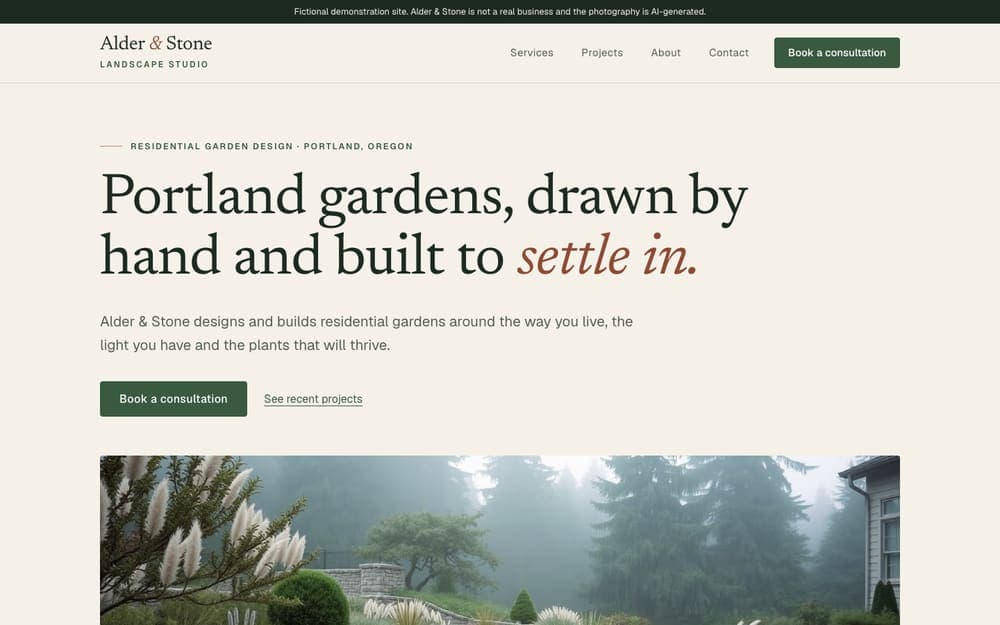
Alder and Stone home page at desktop width: a serif headline over a misty garden photograph, with a banner stating the business is fictional.Alder and Stone home page on a phone.

The brief. Editorial, premium and photography-led, with restrained motion that switches off for reduced-motion visitors. Five pages and a consultation form.

  • Scroll fade-in and slow image reveal that stay off for reduced motion and never hide content from scanners
  • Consultation form with inline validation and a server check; the demo stores nothing
  • Consent-aware analytics wiring using a placeholder property that belongs to no real account
Visit live demo of Alder & Stone Landscape Studio (fictional business, opens in a new tab)
Browser checks, local build
480 / 480
Browser checks, hosted demo
480 / 480

Little Lantern Learning Center

Fictional after-school tutoring center, Raleigh

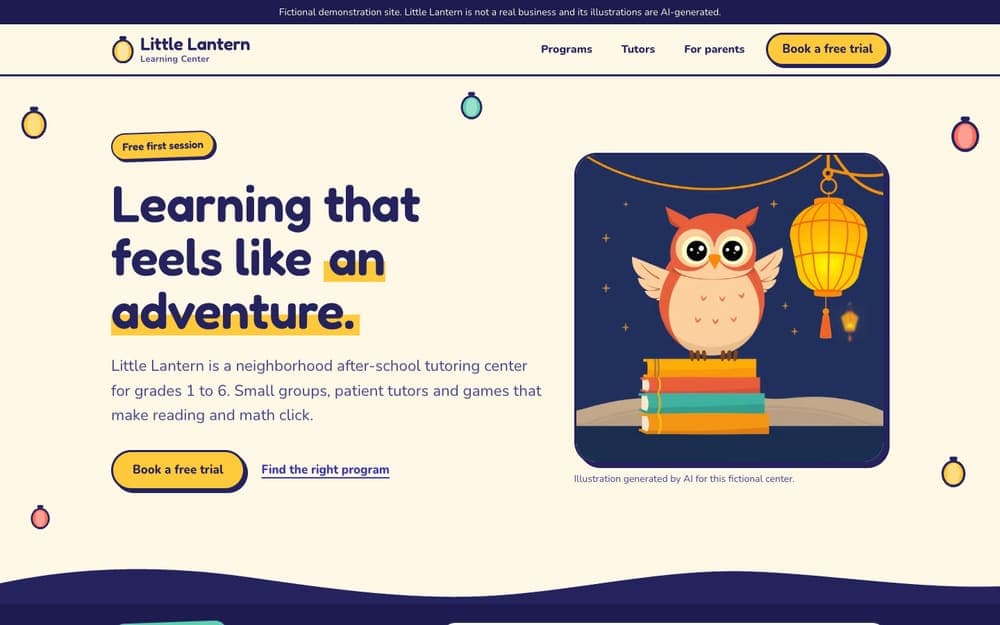
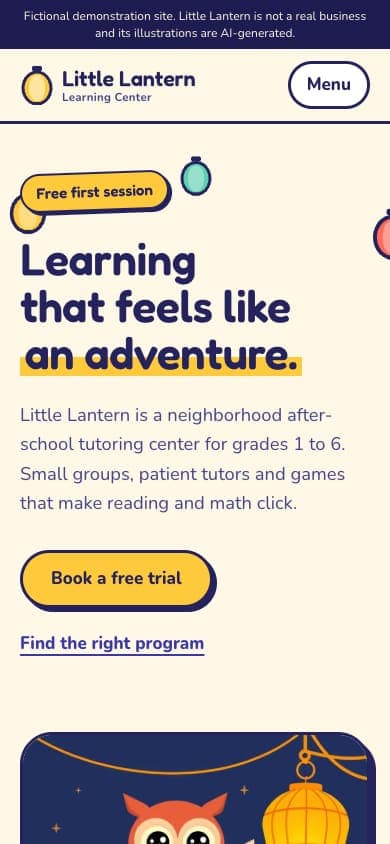
Little Lantern home page at desktop width: a rounded headline beside an illustrated owl on a stack of books, with a banner stating the business is fictional.Little Lantern home page on a phone.

The brief. Playful, colorful, illustrated and highly interactive for parents and children aged 6 to 12, with a quiz-style program finder and a privacy rule: ask nothing about the child except their grade.

  • Program-finder quiz that recommends a program and a grade-appropriate group
  • Visible Pause motion control, pointer-following mascot, tap-to-reveal tutor facts
  • Free-trial form that has no field for a child's name, age, school or photo
Visit live demo of Little Lantern Learning Center (fictional business, opens in a new tab)
Browser checks, local build
513 / 513
Browser checks, hosted demo
513 / 513

What was checked

  • Production build with every shared build gate passing, locally and on Vercel.
  • Real-browser accessibility scan (axe-core with color-contrast) on every page with motion both reduced and enabled. Snapshot mode, which cannot check contrast, is detected and rejected.
  • Browser acceptance in real Chrome at phone, tablet and desktop widths: layout, navigation, forms, keyboard, consent, motion, search metadata, images, zoom.
  • The same suites run again on the hosted Vercel deployments, with the served security headers and the demo's noindex header checked as actually served.
  • An independent agent rebuilt Alder & Stone from only the customer packet, the runbook and published dependencies in about 20 minutes (its own 740-check runner passed). One site, one run.

What this does not prove

  • Search ranking, indexing, AI citations or visitor numbers. Both sites are marked noindex and are fictional.
  • Complete accessibility. Automated checks and the author's keyboard checks are not a conformance assessment; no screen-reader or other manual assistive-technology testing was done.
  • That the public API or MCP layers are mature. This demonstration used neither.
  • That a customer can run the whole path without help. An external coding agent still executes the handoff.

What the process found. Running the real path exposed real defects, including that the Start Here copy button could never be enabled, and each fix was added to the tools and tests rather than only noted. The build guidance is documented in Build a website with AI.

Questions

Is it really free?

The guidance, checklists, prompts and open-source build checks are free to use. You pay separately for anything you choose to bring in: your AI assistant account, hosting and a domain. Site Clinic does not provide free hosting or free domains.

Is this a one-click website builder?

No. It is a guided process. You complete a brief and hand it to an AI coding assistant that you control. You review the result and publish it yourself. Site Clinic does not build the site for you on this path; a finished custom build by Site Clinic is a separate engagement, quoted separately.

Do I need to know how to code?

You do not write the code yourself, but you do set up accounts, review the result and publish it. Expect to follow instructions rather than click one button.

Are the example websites real customers?

No. Alder & Stone Landscape Studio and Little Lantern Learning Center are fictional businesses with AI-generated imagery, built to show two different design directions. They are not customer results.

Do I have to buy Site Clinic monitoring?

No. Building with the free process does not require a subscription. Monitoring is a separate, optional service for checking a live site over time. See the pricing page for current terms.

Ready to start?

After your site is live, Site Clinic monitoring is there if you want ongoing checks. It is optional.

We use Google Analytics to understand how visitors find Site Clinic. No cookies fire until you choose. Privacy policy.